Private cycling analytics for iPhone

Cycling analytics that stay on your phone.

Import FIT, GPX, TCX, Health, or Strava-export rides and see training load, power curves, zones, climbs, and W' balance without creating an account.

Download on the App Store
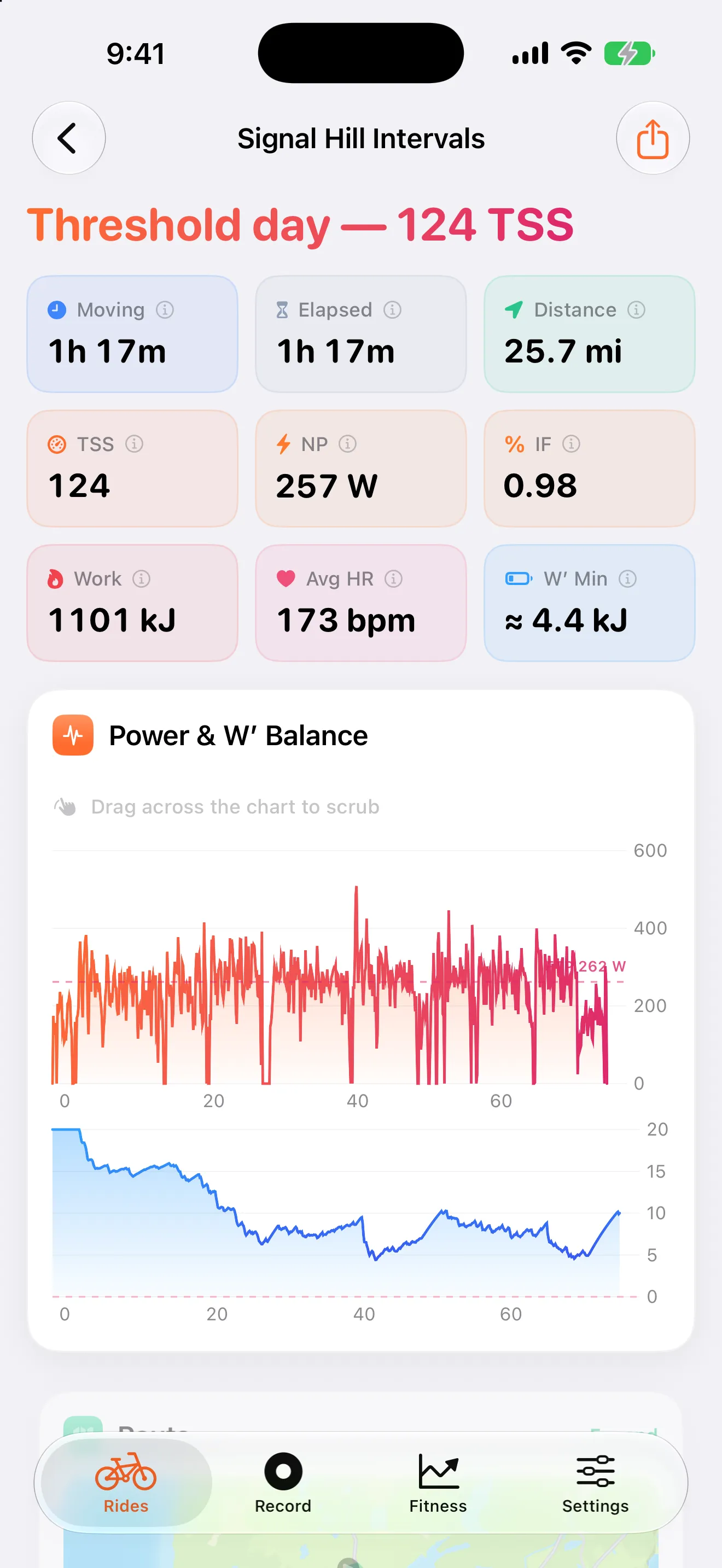
Velolytica ride analysis screen showing TSS, normalized power, W prime balance, and a power chart.
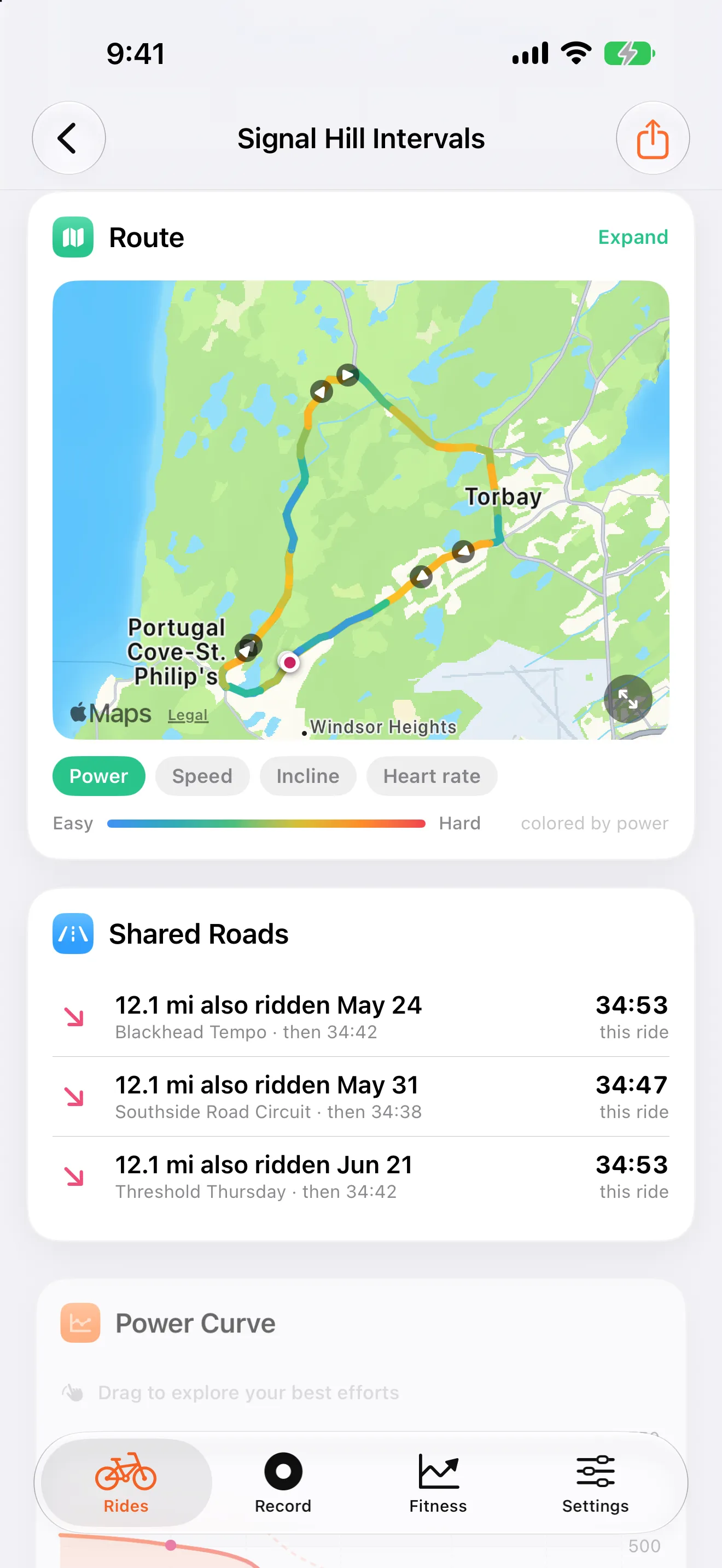
Velolytica route map screen with the ride route colored by power output.
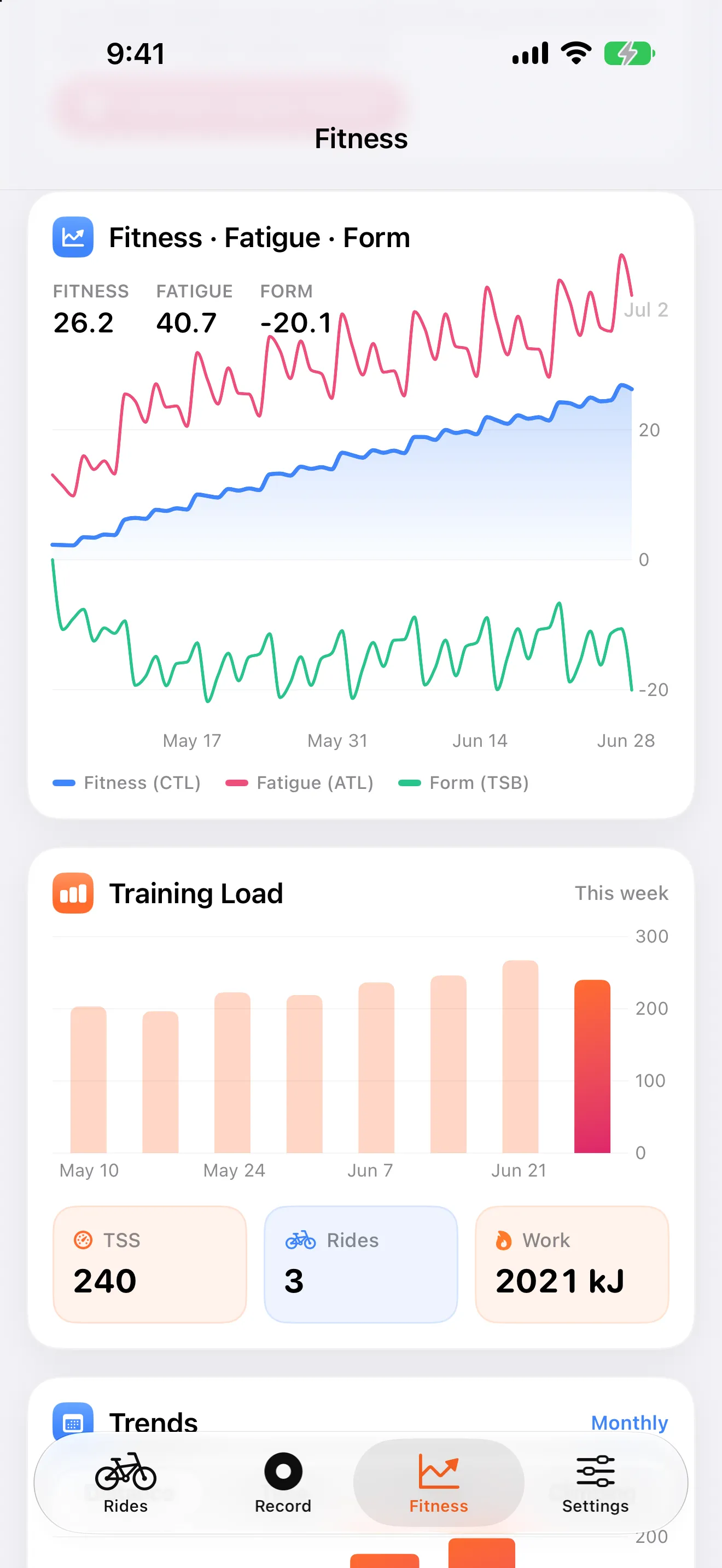
Velolytica fitness screen showing fitness, fatigue, form, and training load charts.
Real app screenshotsData Not Collected postureFIT, GPX, TCX, ZIP imports
No accountOpen the app and import a ride.
No uploadAnalysis runs on-device.
No feedThe brain, not the feed.
Ride detail screen with power, heart rate, zones, and W prime balance metrics.

Every ride, decoded

Power, heart rate, zones, W' balance, and a plain-language ride verdict.

Fitness screen with fitness, fatigue, form, and training load charts.

Fitness over time

Fitness, fatigue, and form are built automatically from your ride history.

Route map painted by effort across the ride.

Effort on the map

See where the watts, speed, gradient, or heart rate changed along the route.

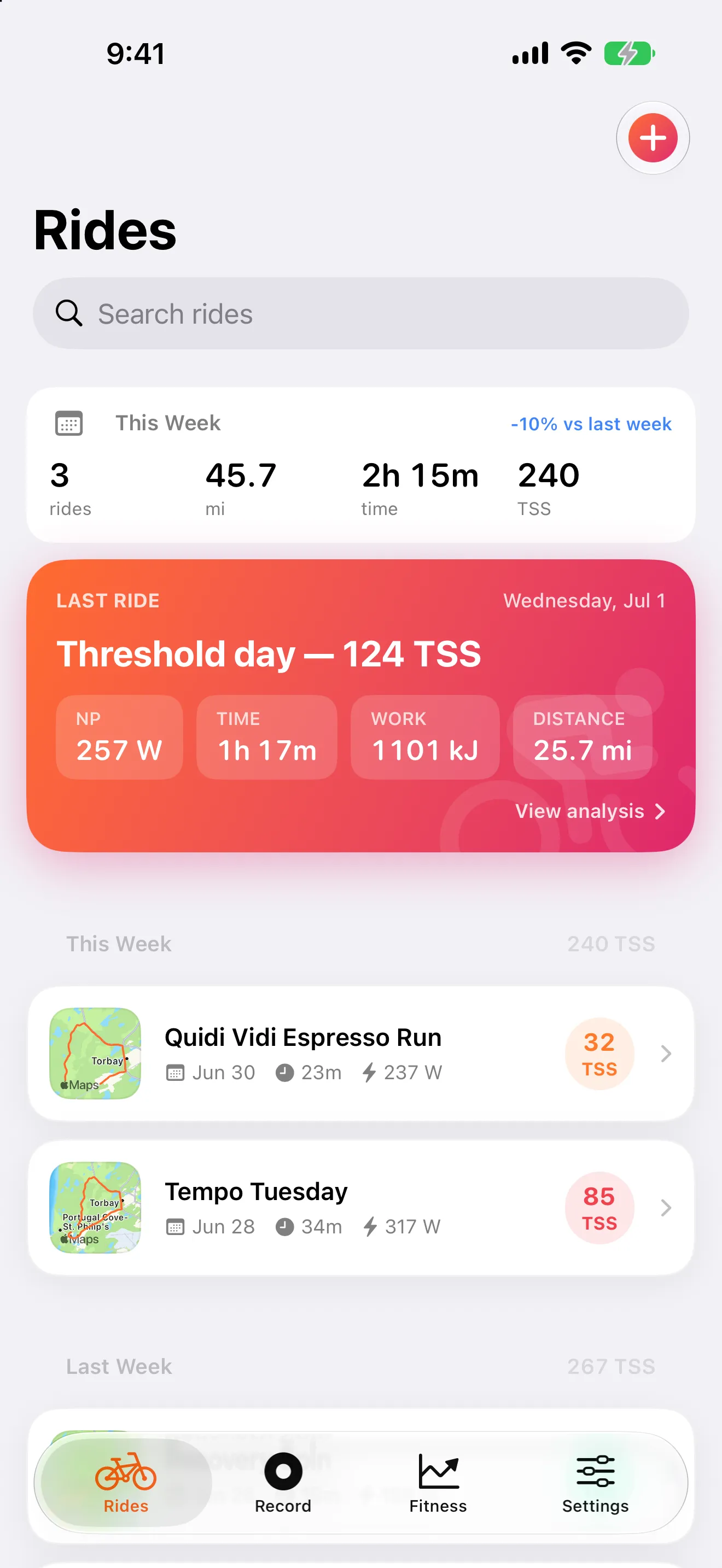
Import

Bring the rides you already have.

Drop in files from a head unit, Apple Health, or a Strava bulk export. Velolytica keeps your ride names, detects sport types, dedupes repeats, and turns the archive into useful history.
  • FIT
  • GPX
  • TCX
  • ZIP
  • GZ
  • Apple Health
Download on the App Store
Velolytica ride library showing imported rides stored on the phone.

Analytics

The training numbers serious cyclists look for.

Velolytica starts with the basics, then goes deeper: power curves, personal records, zone balance, climbs, route repeats, and your high-intensity battery.
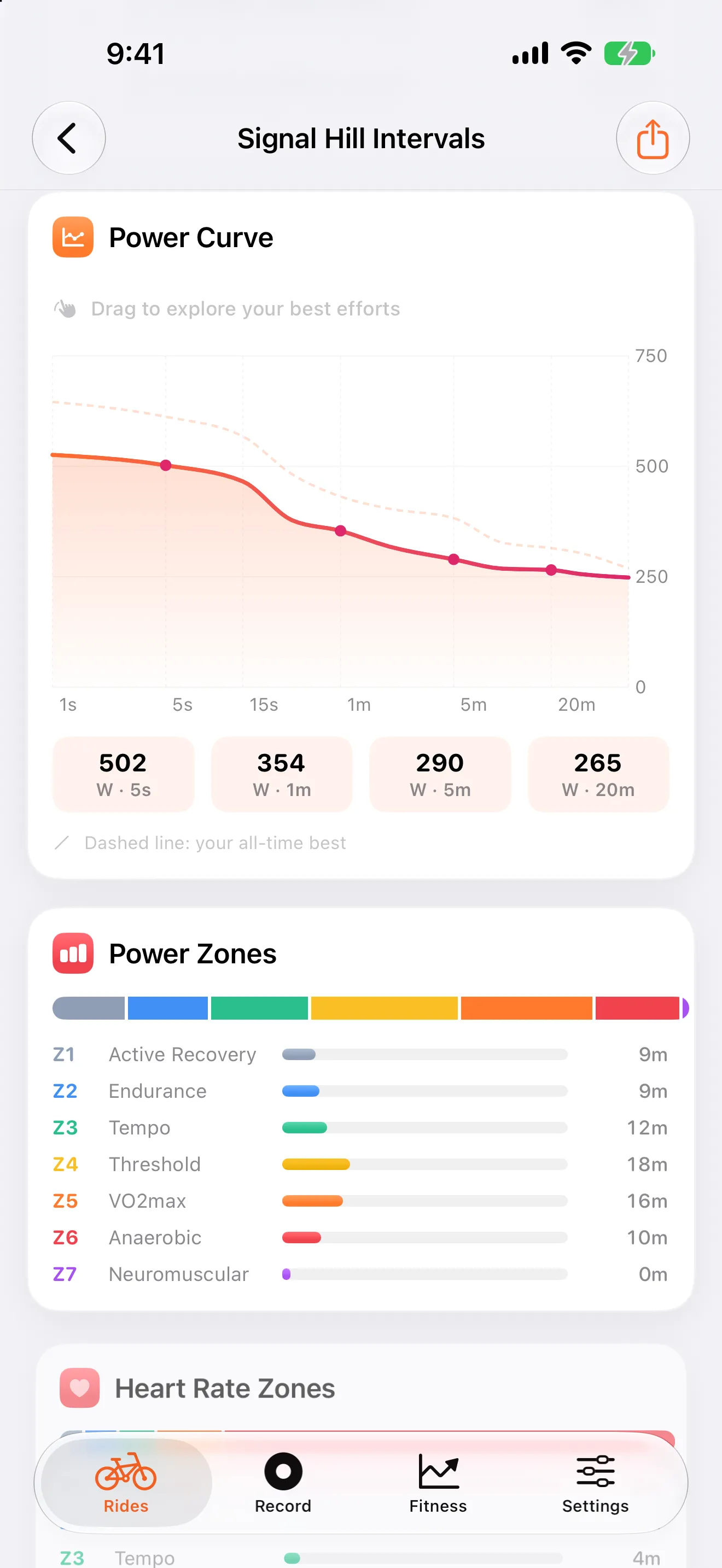
Power curve screen comparing recent power output to all-time best efforts.

Power curve and personal bests

See five-second sprints through hour-long efforts, tracked against your own best rides.
  • All-time and recent best overlays
  • PR detection for key durations
  • FTP and CP context when your history supports it
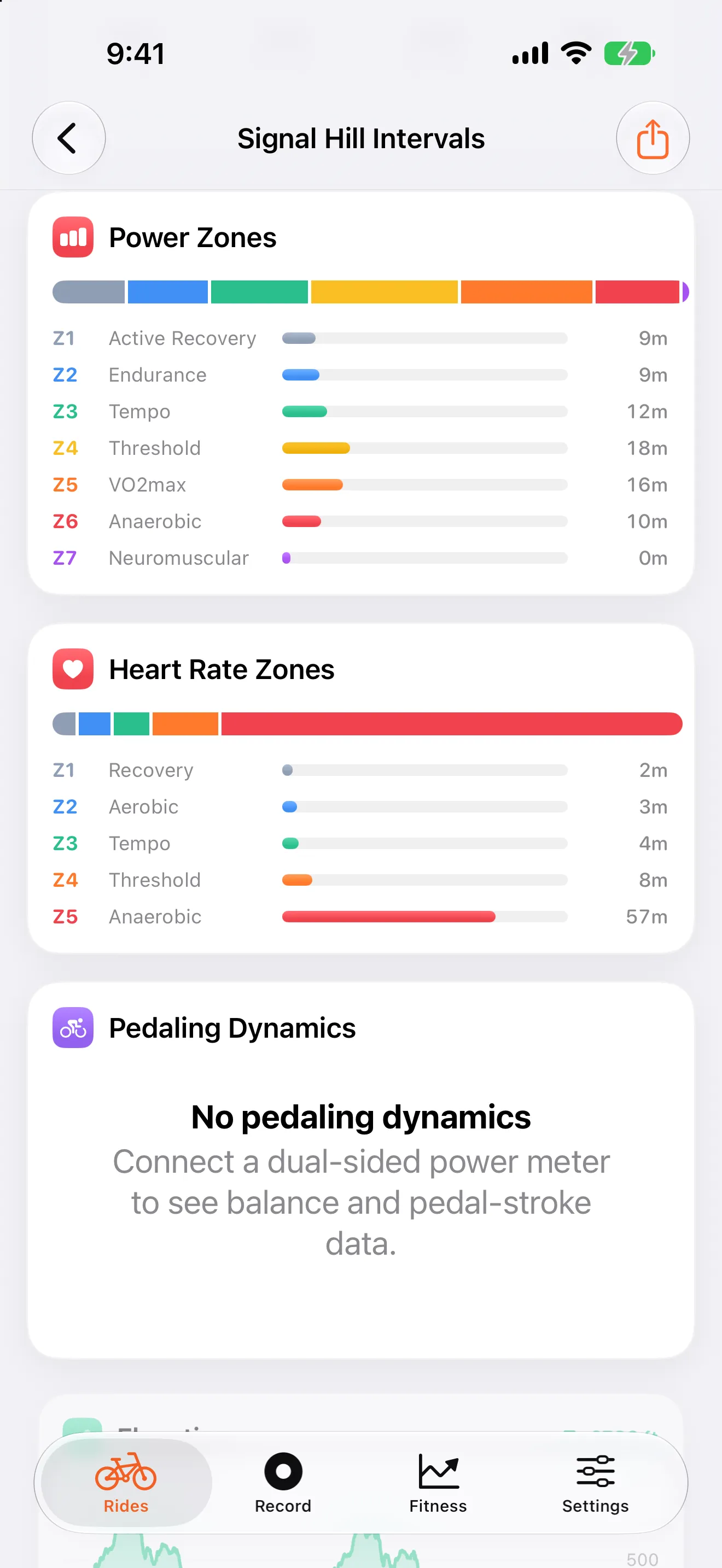
Zone analysis screen showing power zones, heart-rate zones, and pedaling dynamics.

Zones, balance, and ride shape

Find out where the ride really happened instead of reducing it to one average.

  • Seven power zones and five heart-rate zones
  • Zone balance across your training week
  • Pedaling dynamics when your sensors provide them

Privacy

No account. No upload. Your rides stay yours.

Ride files are imported and analyzed on-device. Your original files can be exported again, and the App Store privacy posture is simple: Data Not Collected.

On-device analysisNo server round trip to decode a ride.
No loginYour training history is not an account profile.
ExportableYour original ride files remain yours.

Recording

Record when you need to.

Use Velolytica as a phone-based ride recorder, then finish straight into the same analysis flow as imported rides.
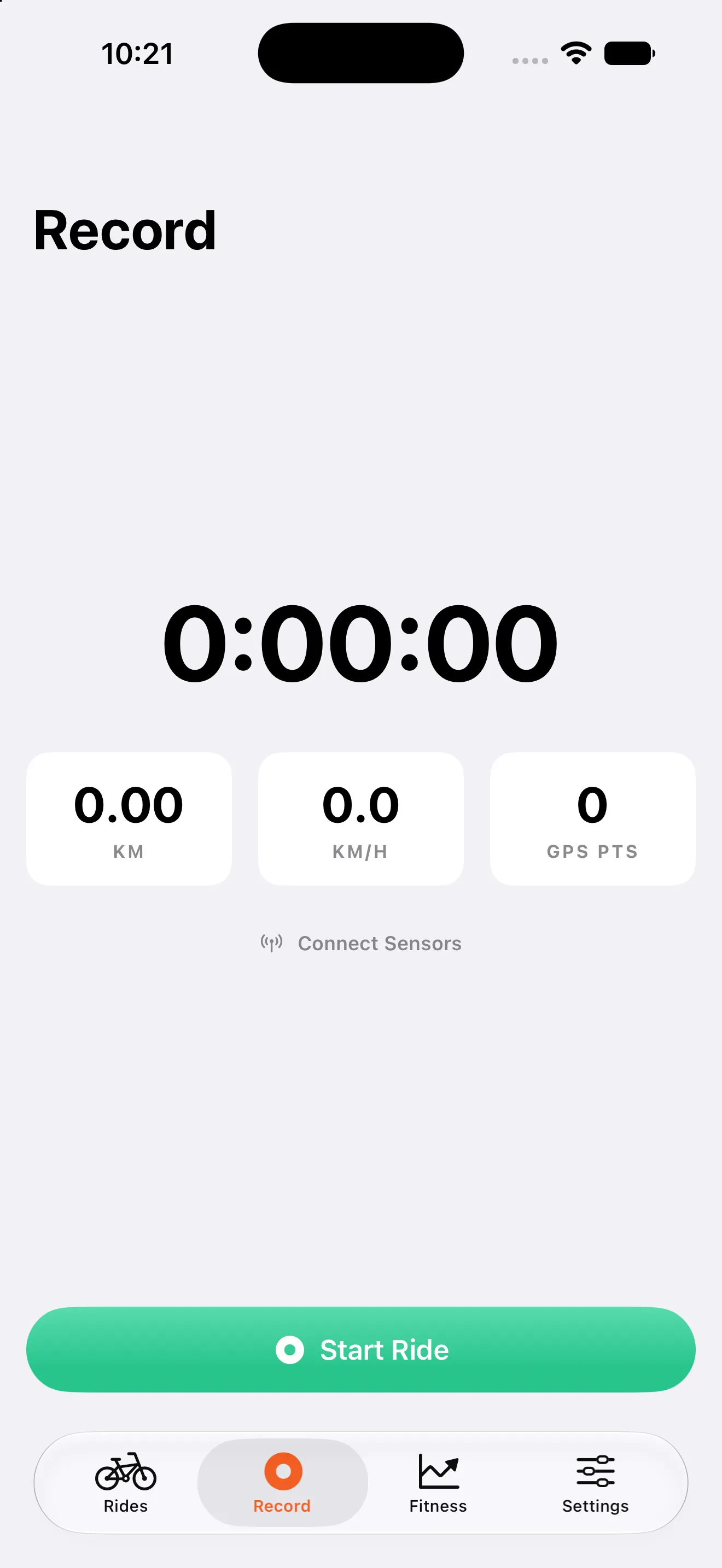
Velolytica record screen showing live ride recording controls.

FAQ

Answers before the App Store tap.

Will it work with my head unit?

Yes if your device exports standard FIT, GPX, or TCX ride files. ZIP and gzip archives are supported too.

Can I bring my Strava history?

Yes. Import the Strava bulk-export ZIP and Velolytica will pull supported ride files into your local library.

Does my ride data get uploaded?

No. Ride analysis runs on-device, with no Velolytica account required.

Do I need a power meter?

No. Power unlocks the deepest analysis, but heart-rate and GPS-only rides still produce useful ride history.

Start

Start with one ride, or bring your whole archive.

Velolytica is built for cyclists who want the numbers without the network.

No account requiredOn-device analysisLinked privacy policy
Download on the App Store